

iolo’s VPN Software
In recent years, it might have seemed to you at times as if “VPNs” have become all the rage. You may have been browsing online, for example, and encountered a website that puts in place territorial restrictions, preventing you from accessing the full site in the way that someone from another country can do. And in such a situation, you might have been advised to “just use a VPN”.
Read More
But there are excellent reasons to use a VPN online browser beyond simply the opportunity to bypass certain geographical restrictions. Indeed, many observers are coming to regard PC VPN solutions – such as ioloVPN – as offering increasingly essential privacy and security benefits.
What, though, are those exact benefits, and why do they matter so much in the 2020s? And more to the point, how does the optimal VPN for private browsing and online security deliver such advantages?
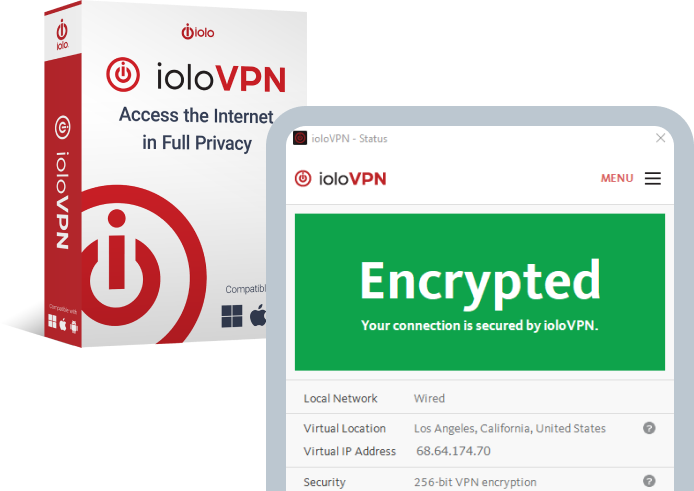
(Available for Windows® 11, 10, 8.1, 8, and 7)
What Does VPN Stand For?
The initialism “VPN” stands for “virtual private network”. And to answer the question of what a VPN virtual private network is, it is instructive to go through each of those words:
Read More
A VPN is virtual in the sense that the private tunnel it creates – and we’ll elaborate on the term “private tunnel” a little further below – is a digital one. It doesn’t use a physical cable to connect the user’s device directly to the VPN server.
The private part of the term “virtual private network”, meanwhile, refers to the fact that secure and private VPN access to the Internet conceals the user’s IP address and encrypts their data.
Finally, a VPN is a network in that it creates a connection between several computers – specifically the device of the user and the given VPN server.
Understanding Virtual Private Networks (VPNs)
If you’ve ever asked yourself, “what is a virtual private network?”, you might be interested in the specifics of how a VPN works.
The basic way a VPN works is as follows: through the use of encryption protocols, it funnels all the user’s Internet traffic through a private encrypted tunnel between the user’s computer and a remote VPN server. Such a real-time encryption process effectively disguises the user’s online identity, while preventing any third parties from tracking the user’s activities and stealing their data.
By contrast, when an Internet user isn’t using a VPN online browser, all their Internet activity could potentially be visible to other entities, such as their Internet Service Provider (ISP), the Government, advertisers, or even other people using the same network.
So, if you don’t want your ISP or other third parties to be able to see which websites you visit, or what data you send and receive while using the Internet, it could make a lot of sense to invest in the secure and private VPN access that software like ioloVPN would give you.
Key Features
Turning to ioloVPN as your chosen VPN virtual private network software, will mean placing your faith in a feature-packed solution that you can count on to fully protect your privacy and security online.
That will mean benefitting from all the following:
-

Private and Secure Browsing
-

Multi Device VPN
ioloVPN: Secure Access
ioloVPN grants you the freedom to bypass regional restrictions. Enjoy streaming your favorite shows, accessing websites, and using online services, regardless of your physical location
ioloVPN is an incredibly affordable and easy to use solution to ensure your privacy when online. The VPN is compatible with Windows, Android, and Wi-Fi, allowing you to secure your data on multiple platforms.

Benefits of iolo’s VPN Software for PC Users
If you’re looking specifically for a PC VPN platform, you can have faith in ioloVPN being the right solution for your needs.
As we mentioned above, the protection of a single ioloVPN subscription can extend to five devices, including Windows ones. This will enable you to tap into the highest levels of virtual private network security and privacy, whether you are using the family’s home PC, or “on the move” using your laptop or smartphone. Your protection will be truly seamless, wherever you are.
You might imagine that you surely wouldn’t really “need” VPN software if most or all your online time is spent on your home wireless network on a PC.
But even home wireless networks can still be breached by hackers in certain circumstances. Furthermore, there might be times when you will be carrying your laptop around with you, and using it on insecure networks, such as in public settings like coffee shops and train stations.
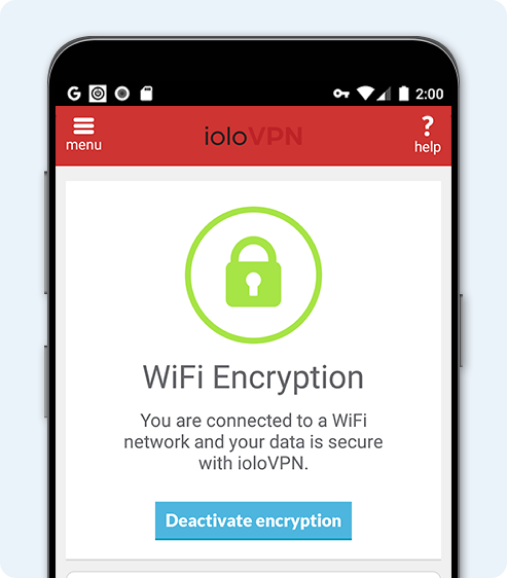
In such environments, the laptop version of ioloVPN will detect that the user is on an insecure network and will activate automatically to suit. This is just one more reason why you might be exceedingly thankful for having placed your trust in ioloVPN as your preferred VPN software.
Customer Testimonials
What do real users think of ioloVPN? Before committing to any specific VPN virtual private network solution, be sure to consult their thoughts below.


Problem: PC Tune Up
“I was able to report my problem to one of your premium support team engineers… and my computer’s performance went from 5% to 100%, all viruses removed and all my files were saved. I am very pleased and satisfied with your service.” – Jenaire R.
FAQs
In what circumstances should virtual private network software be used?
To ensure your privacy, you should use a VPN every time you connect to the internet. ioloVPN runs in the background of your device, allowing you to stream, navigate the web and use apps freely without any interruption.
Do I need a VPN at home?
There are certain telltale signs that can indicate that your device is infected with a virus. Some signs to look out for are:
- Missing or changed files and folders.
- Slow device performance.
- Frequent and unexpected pop-up windows.
- Unrecognized programs.
- Issues with restarting and shutting down.
- Device crashes often.
If you suspect that your device has a virus, it’s crucial that you use antivirus software to run a scan on your system.
Can I use a VPN for free?
IoloVPN comes with a 30-day money back guarantee
Make ioloVPN Your Choice of VPN For Private Browsing and Secure Online Activity
Has our comprehensive VPN guide got you inspired about the benefits that a genuinely complete, sophisticated, and easy-to-use virtual private network VPN software package could bring to your life?
If so, now could be the time to further investigate whether the highly rated ioloVPN solution could represent the most suitable option for your circumstances and requirements. You are also welcome to call the iolo team today, on (808) 207-3783.