

iolo’s Secure Password Manager
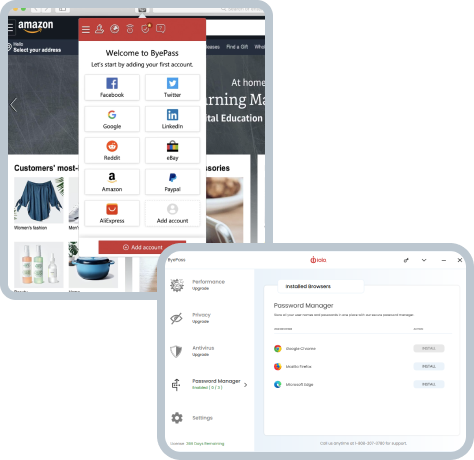
If you’re looking for a secure password manager for your PC, phone, or tablet, then look no further than ByePass from iolo. We want you to stay safe and get the most out of your PC and mobile devices, and with our simple, easy to use software-based password manager, you can do just that.
With ByePass, you can go beyond Windows Password Manager or other conventional forms of password security and simplify the password management process across all your digital devices – and with support on multiple browsers including Google Chrome, Safari, Microsoft Edge, and Firefox, it really couldn’t be simpler to truly safeguard your personal information.
Get It Now!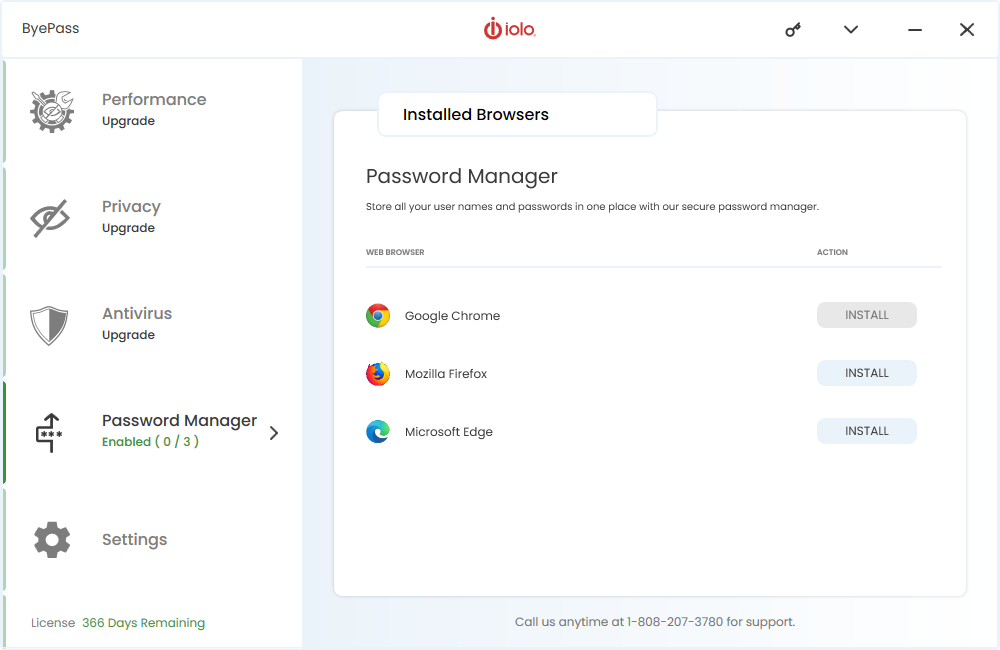
Download today to keep your information completely secure.
Why Choose iolo’s Secure Password Manager?
So, why do you need a secure and enhanced password manager? Starting at just $15.95, as a one-off payment, ByePass is an incredibly affordable and competitively priced Windows password saver with no subscription or recurring payments required. In addition, the software is incredibly easy to use, and can be integrated with a wide range of operating systems (including iOS and Android), as well as all major web browsers on your PC.
Unlike many of the other password manager software available on the market, ByePass has the added benefit of supporting two-factor authentication, as well as allowing you to secure payment details and notes – the software helps protect your online purchases by letting you encrypt and store credit cards that are only deployed as-needed when making online purchases, so hackers and keyloggers cannot steal them. A similar local encryption feature for writing notes enables you to store sensitive info securely, such as PINs.
Download today to keep your information completely secure.
Features and Benefits of iolo’s Password Manager
ByePass comes with an array of features and benefits that truly set it above the rest. At an incredibly affordable price point (with no subscriptions or hidden fees required) the simple, secure, and automated password management system provided by ByePass allows you to go beyond the standard (and often insecure) password manager on your device, and lets you simplify the password management process across all of your digital devices. The features of ByePass include:
-
 Fully Secured Passwords
 -
 Fully Secured Credit Cards
 -
 Autofill
 -
 Leaked Password Check
 -
 Auto Password Generator
 -
 Secure Notes
 -
 Two Factor Identification
 -
 Inactivity Lock
 -
 Remote Log out of Any Account
Available on iOS, Android, and Window




How to Get Started with iolo’s Secure Password Manager
So, just how exactly can you get started with ByePass? Usually priced at $19.95, iolo are offering an exclusive deal with the software priced at a competitive $15.95, allowing you to save $4. Available to download on the App Store, Google Play, and all of the major web browsers for Windows, ByePass is available to purchase directly from iolo.
Affordable, user friendly, and incredibly easy to use, the in-software interface securely safeguards your passwords and credit card information, giving you total peace of mind and allowing you to browse safely. Just download and set up your account and you’re good to go – it couldn’t be simpler.

Enhance Your Digital Security with iolo’s Secure Password Manager
If you’re looking to enhance your digital security and stay protected when online, then ByePass can offer you an affordable and effective solution. With encrypted password and credit card information storage, ByePass allows you to go beyond your regular password management on your devices, boasting an array of features you simply will not find elsewhere. ByePass simplifies your digital life, whilst at the same time helps to secure it.
When you purchase iolo’s secure password manager, you’ll never have to forget your password again with a fully secure, automatic log in. And with automatically generated strong and unique passwords, the ability to remotely log out of your accounts, and two factor authentication, there’s no chance of a security breach when you invest in ByePass, giving you clarity, peace of mind, and most importantly, online safety.
Customer Testimonials
Awarded five stars by PCMag, iolo prides itself on putting customers first. By offering affordable and highly effective secure password management software, we are able to consistently deliver high levels of customer satisfaction, whilst at the same time keeping your personal information safe. Our reviews speak for themselves.


Problem: PC Tune Up
“I was able to report my problem to one of your premium support team engineers… and my computer’s performance went from 5% to 100%, all viruses removed and all my files were saved. I am very pleased and satisfied with your service.”
FAQs
What is ByePass secure password management?
ByePass is a secure web browser extension that securely manages all your web account passwords across your devices, regardless of OS platform (Windows, Mac, Linux, iOS, Android).
ByePass also helps protect your online purchases by letting you encrypt and store credit cards that are only deployed as needed when making online purchases, so hackers and keyloggers cannot steal them. A similar local encryption feature for writing notes enables you to store sensitive info securely, such as PINs.
What are the ByePass System Requirements?
ByePass is compatible with the latest, up to date, versions of Google Chrome, Firefox, Safari and Edge Chromium regardless of OS platform (Windows, Mac OS, Linux, Android (via the Google Play Store) and iOS (via the App Store)).
What is the difference between ByePass trial and full versions?
Trial version:
- Limited to 5 accounts
- Automated password storage, generator and autofill
- Offline access and data export
- Auto sync
- Browser add-on
Full version:
- Unlimited accounts
- Secure password generator
- Single master password
- Recovery code in the event you forgot your master password
- Two-factor Authentication (2FA)
- Inactivity lock
- Secure notes
- Security and breach reports
- Credit card security
- Dark web scan for leaked passwords
- Login Guardian for remote logout of all websites on your connected devices
- Intelligent autofill
- Automatic sync and backup across all your devices
- Remote browsing history clearance
What are Secure Notes?
Just like safely storing passwords, ByePass allows you a place to keep encrypted notes no one else can ever see. Something to store in a secure note may be secure PINs or other ID specific information.
Safeguard your passwords and credit card details today with iolo.
Offering an affordable and easy to use secure password management software in the form of ByePass, you can be rest assured that your personal information, passwords, and credit card details are protected and safe. Simplify the password management process across all of your digital devices and download today.