Disable Or Enable Browser Saved Passwords From Being Removed
Enable removal of browser stored passwords
WARNING: Any saved passwords that your browser has stored will be removed each time the tool runs.
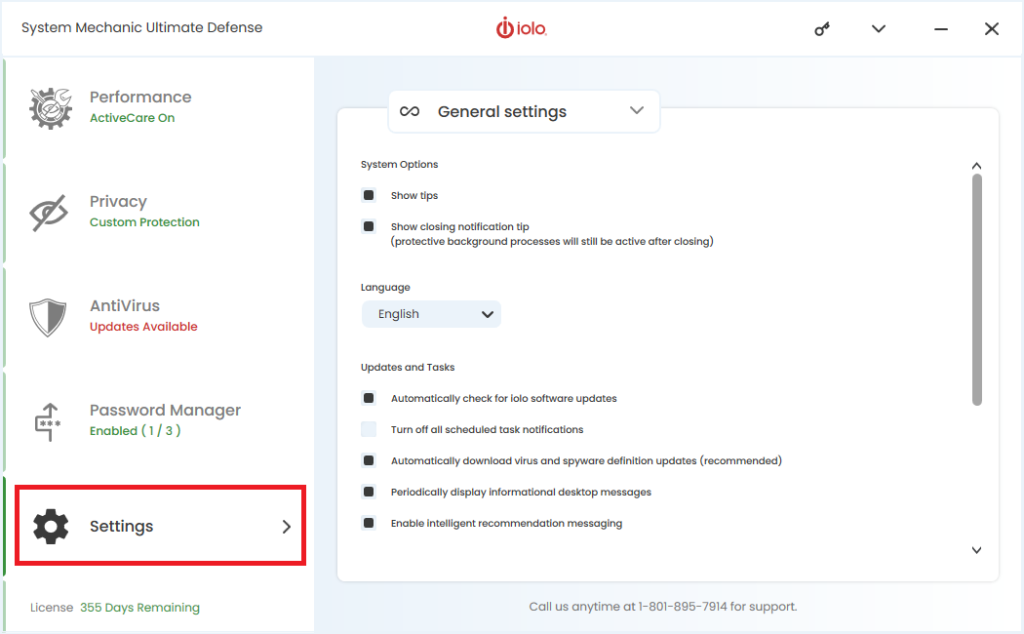
- From the left menu select Settings
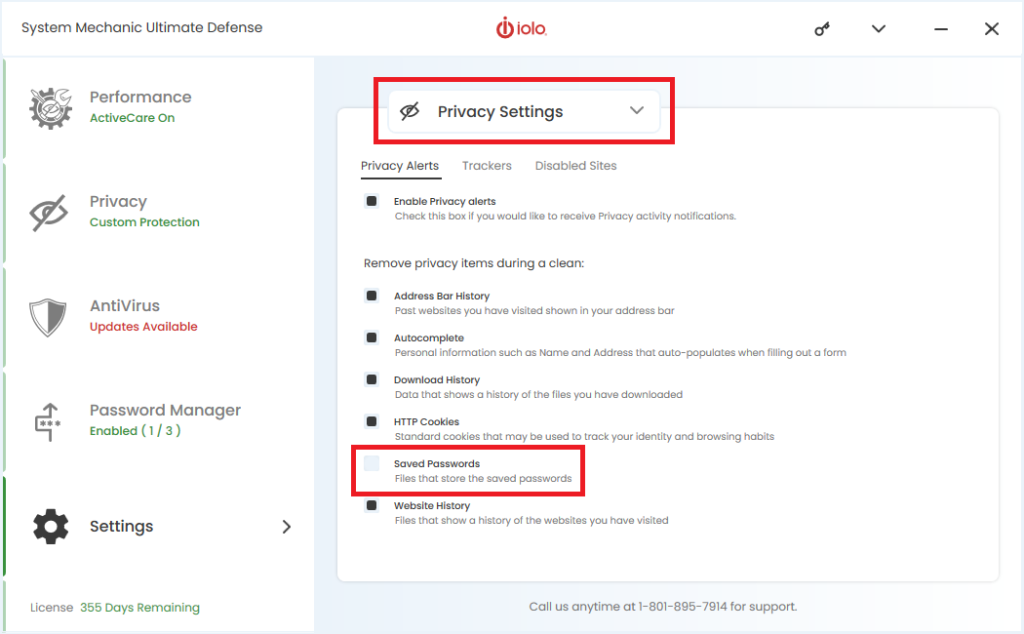
- Select Privacy Settings from the right drop-down menu
- Under Remove privacy items during a clean, check the box labeled Saved Passwords and then exit System Mechanic
Disable removal of browser stored passwords
To disable the removal of your browser stored passwords, follow the above directions and uncheck the box labeled Saved Passwords. The tool will not remove any passwords that your browser has stored.