

Enable ByePass for Private Browsing
NEW VERSION AVAILABLE: Migrate to ByePass+ to ensure continued service.
After installing and enabling the ByePass extension/Add-on, navigate to your Add-on/Extensions of your browser and enable ByePass to run in private windows.
Google Chrome
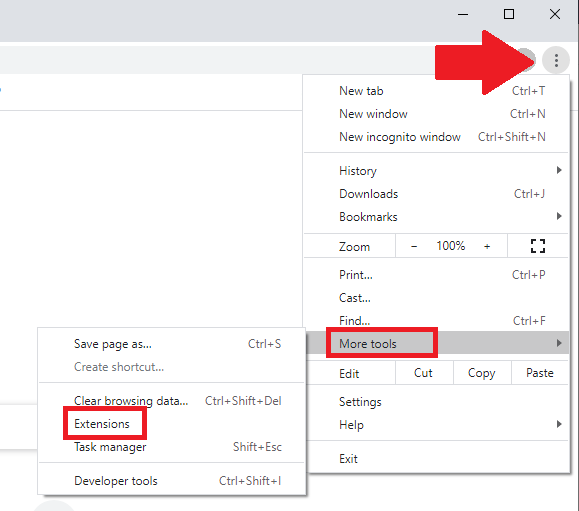
Click on the menu item at the top right of Chrome, select More tools and then Extensions.
Click on Details.
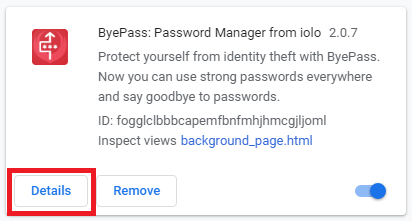
Enable Allow in incognito.

Mozilla Firefox
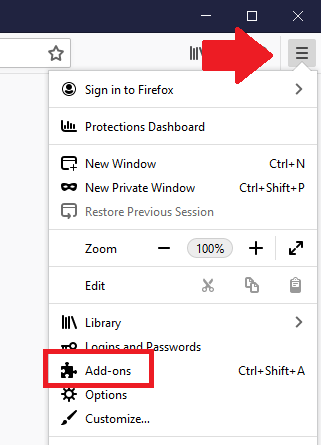
Click on the menu item at the top right of Firefox and select Add-ons.
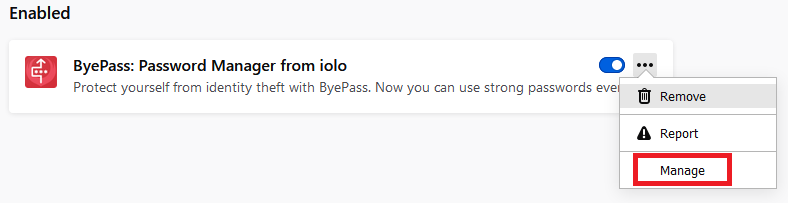
Click on the ByePass menu item and select Manage.
Locate Run in Private Windows and select Allow.
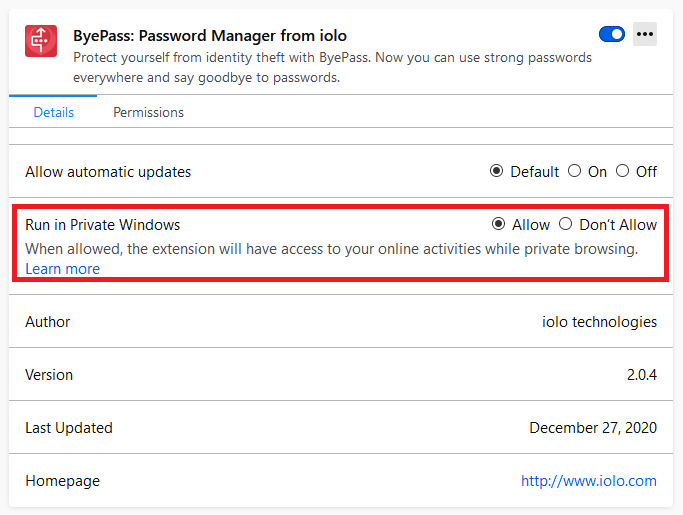
Edge (Chromium)
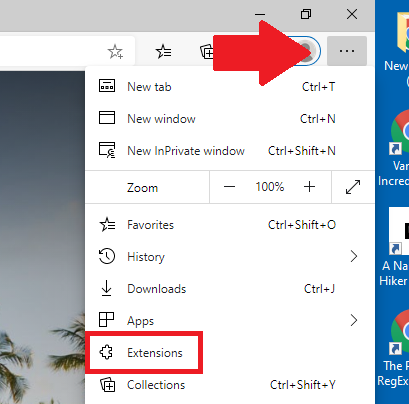
Click on the menu item at the top right of Chrome and then Extensions.
Select Details

Scroll down and enable Allow in InPrivate.
