How to Turn On Autofill for ByePass iOS
NEW VERSION AVAILABLE: Migrate to ByePass+ to ensure continued service.
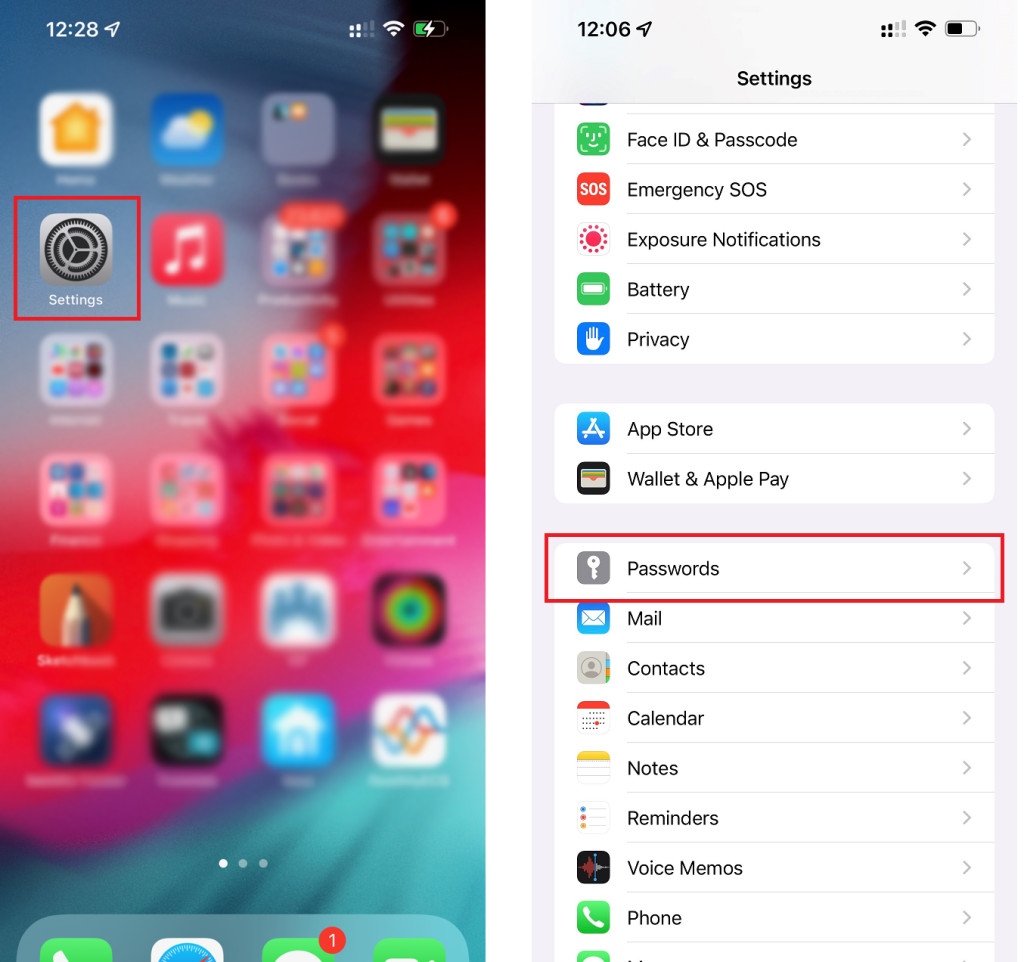
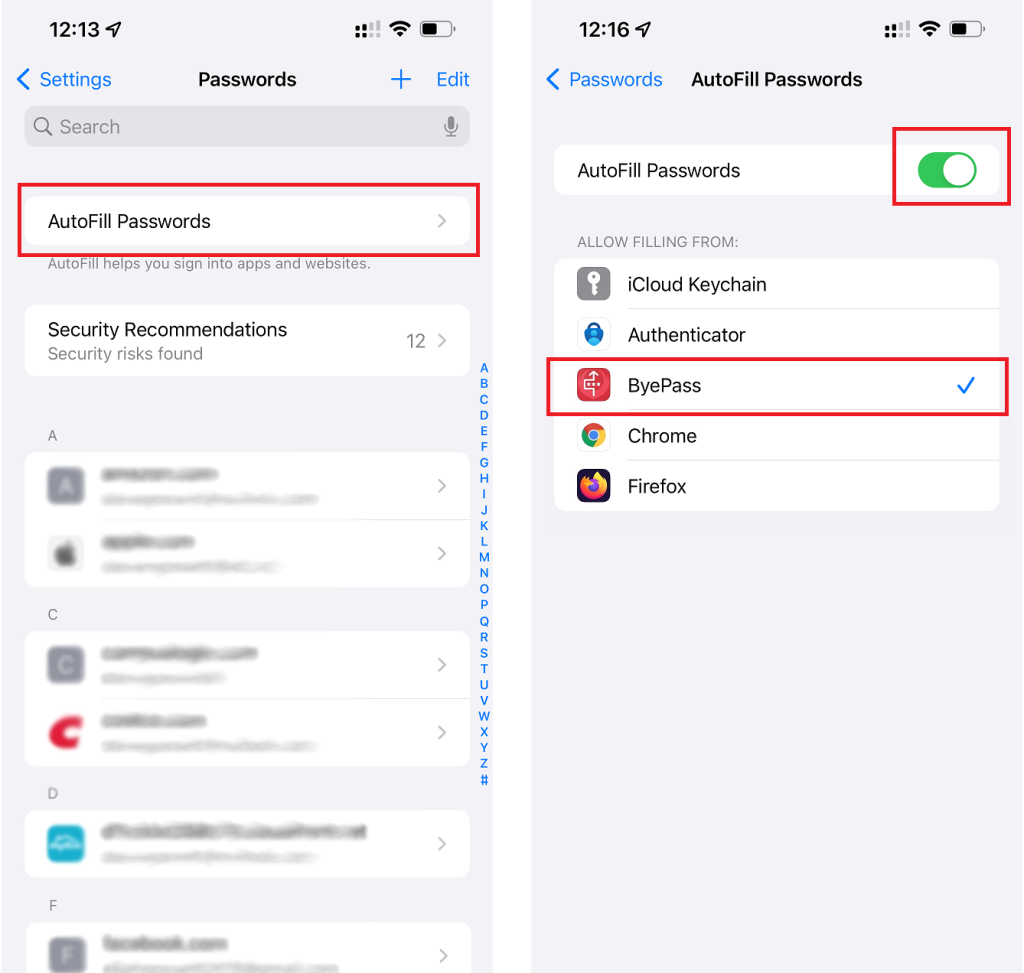
For iOS, please open the Settings app on your device and navigate to Passwords > select Autofill Passwords to enable it if it is not already turned on and select ByePass as your autofill choice.
If iCloud Keychain also appears with a check mark, please be sure to deselect it or it will override ByePass.
NOTE: Autofill feature is supported from from iOS 11 and newer