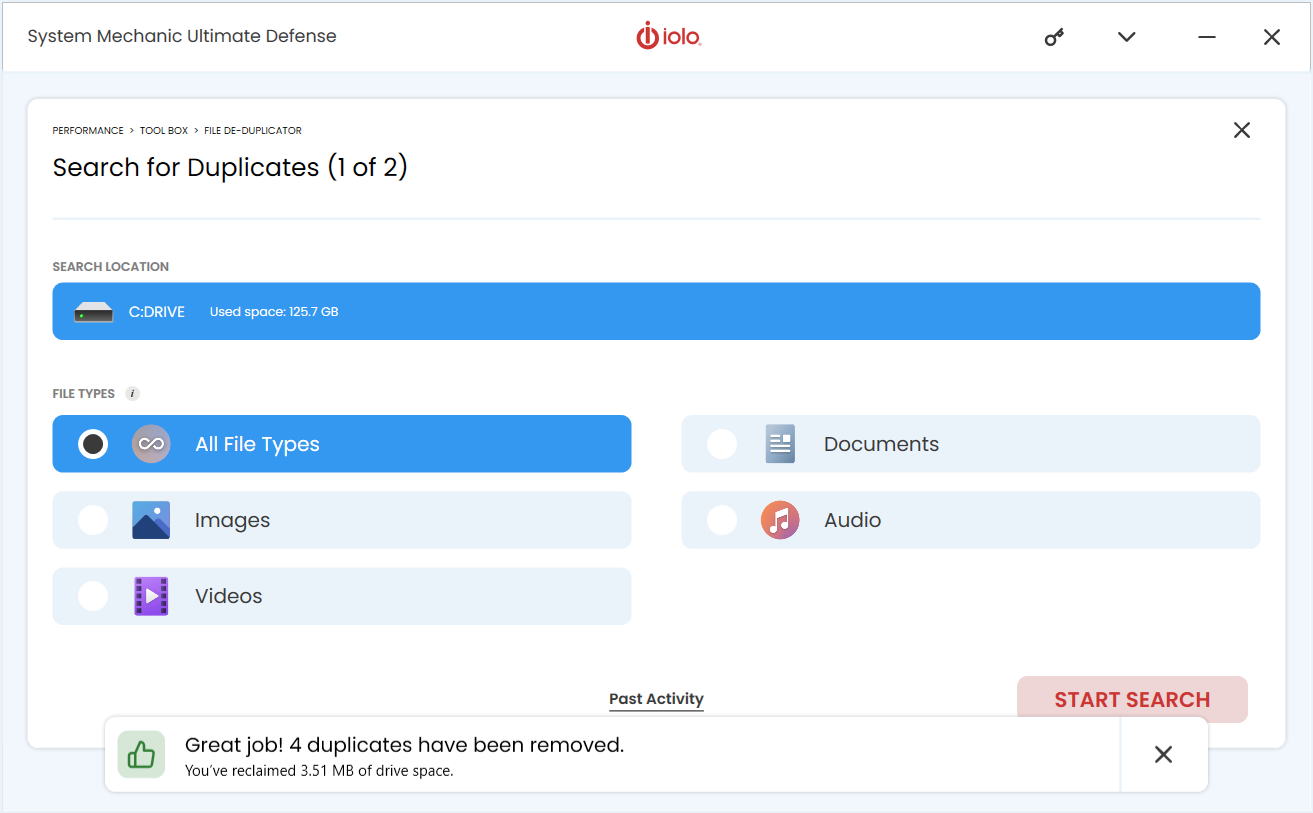
How to Use System Mechanic's File De-Duplicator
Manage your storage with ease by scanning your device, identifying duplicates, and deleting unnecessary files.
Note: File De-Duplicator is available with System Mechanic Pro and Ultimate Defense. It is only compatible with 64-bit versions of Windows
- Open System Mechanic Professional or System Mechanic Ultimate Defense and navigate to Performance and then Toolbox.
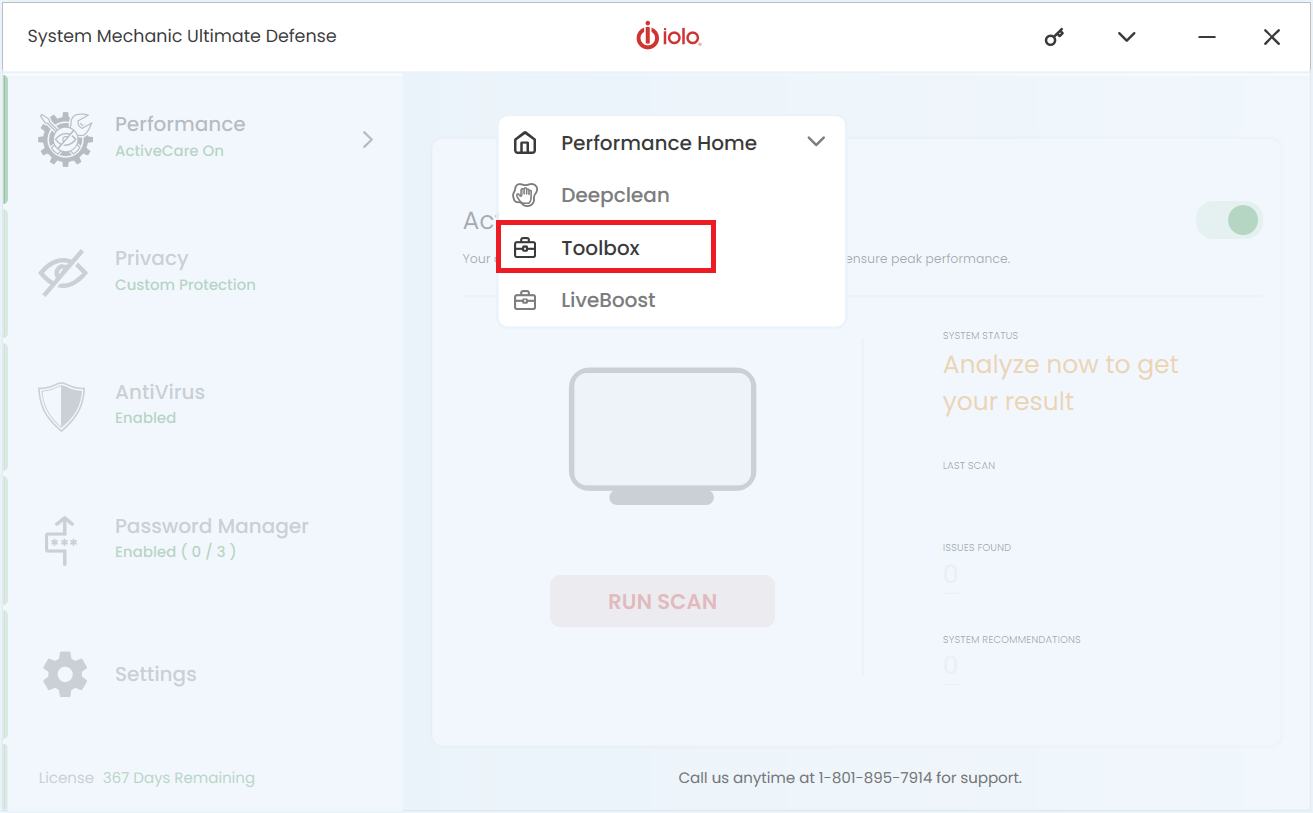
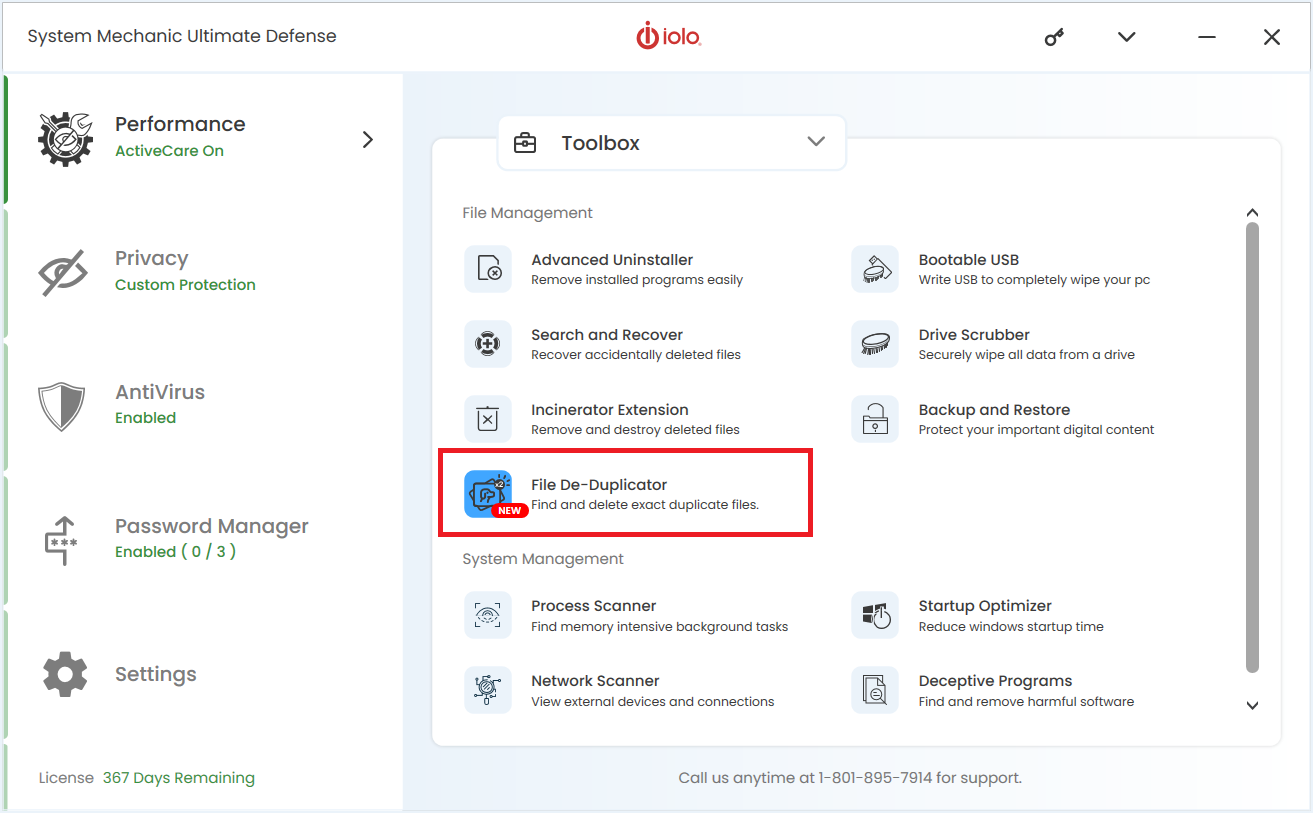
- Select the File De-duplicator tool.
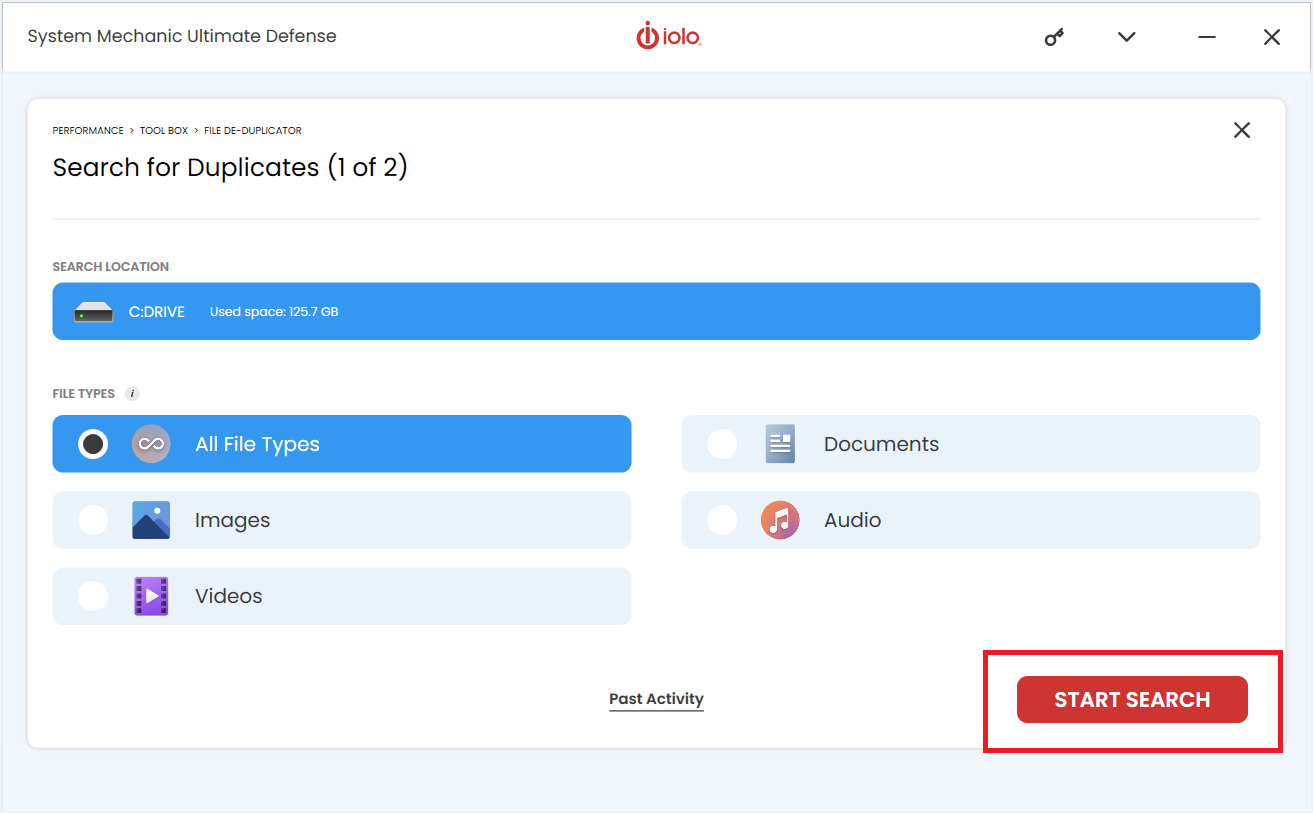
- Click Start Search.
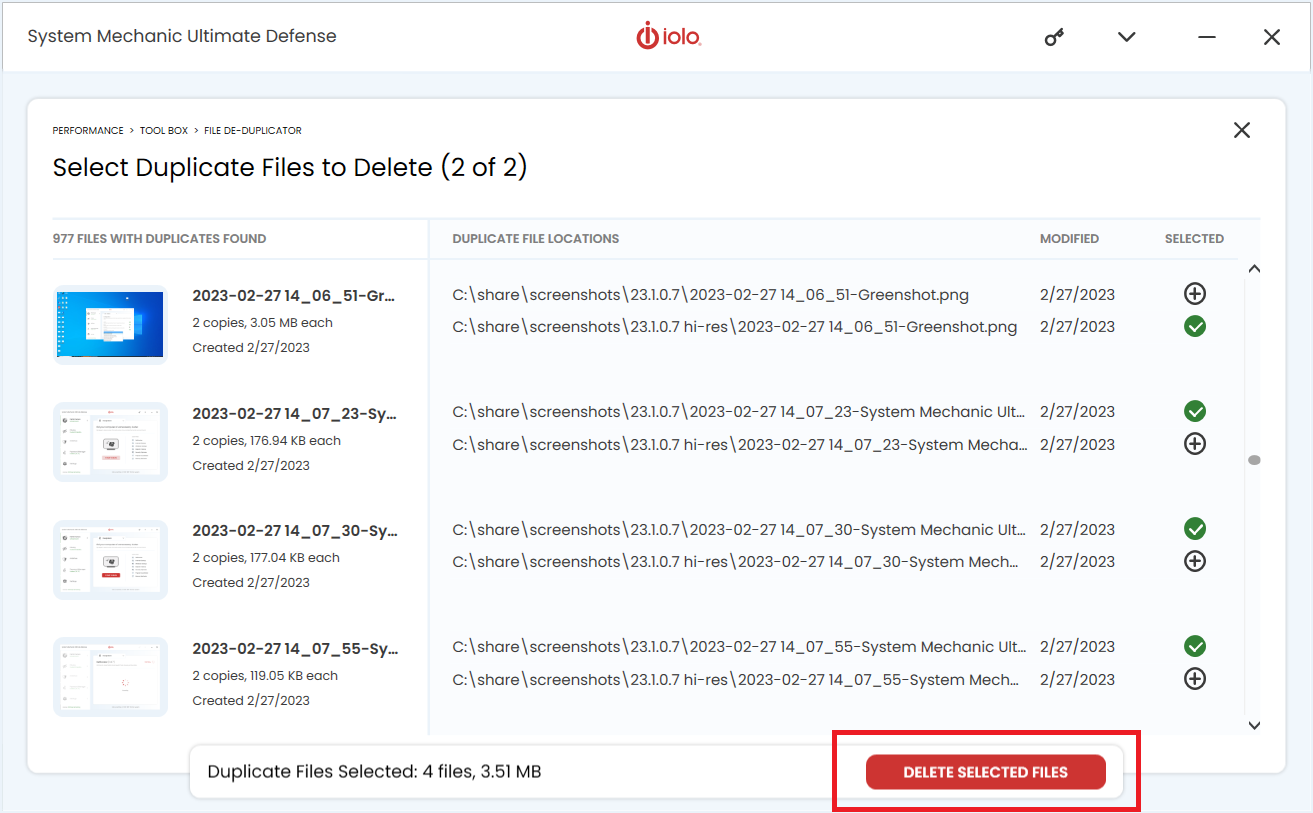
- Review and select the duplicate files you want to remove and click Delete Selected Files.
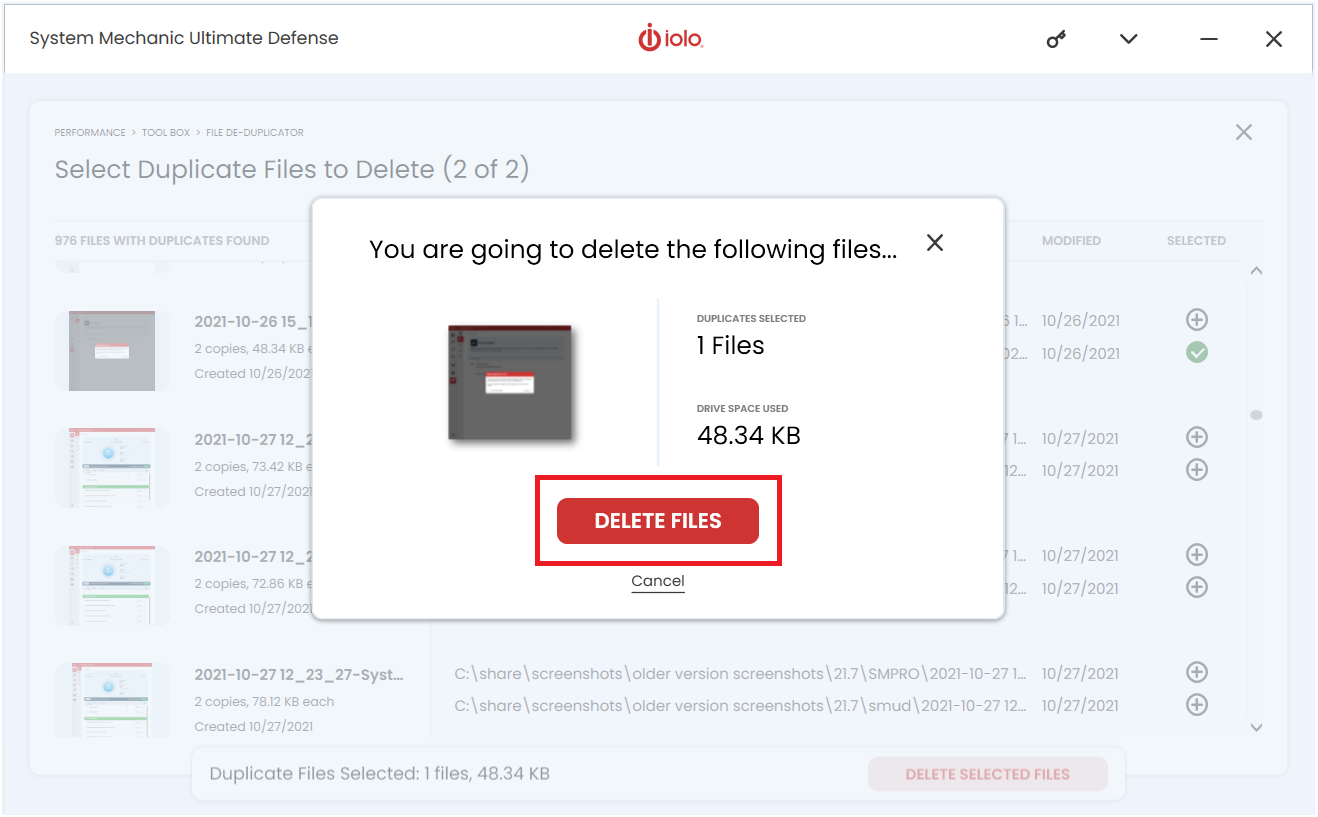
- Click Delete Files.
- Congratulations! The deletion of the duplicate files you had chosen are now removed.