How to Uninstall System Checkup
System Checkup is now an integrated part of our System Mechanic family of products. Please follow the steps below to uninstall System Checkup.
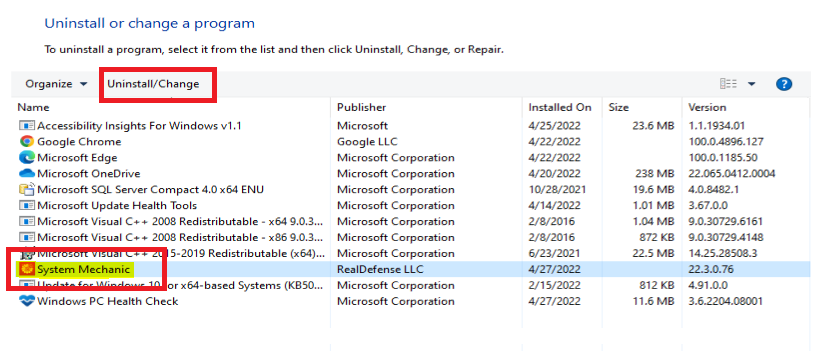
- To uninstall iolo System Checkup, please navigate to the Windows Control Panel, select Programs and Features.
- When the panel appears, select System Mechanic and then at the top of the panel click on Uninstall/Change.